Explore Circles Camera Messages Profile Privacy Policy Terms & Conditions Age Contact
Your Inner Circle

Built for your
closest people.

Circles are private groups that keep every conversation, photo, and moment between exactly the right people. No followers. No strangers. Just your people.

Circles view on fomo

Social, but
actually private.

Other apps

  • Public feeds visible to strangers
  • Algorithms decide what you see
  • Follower counts as social currency
  • Data sold to advertisers

fomo

  • Private circles for your people only
  • Chronological feed, no algorithm
  • No follower counts or public profiles
  • Your data stays on your device

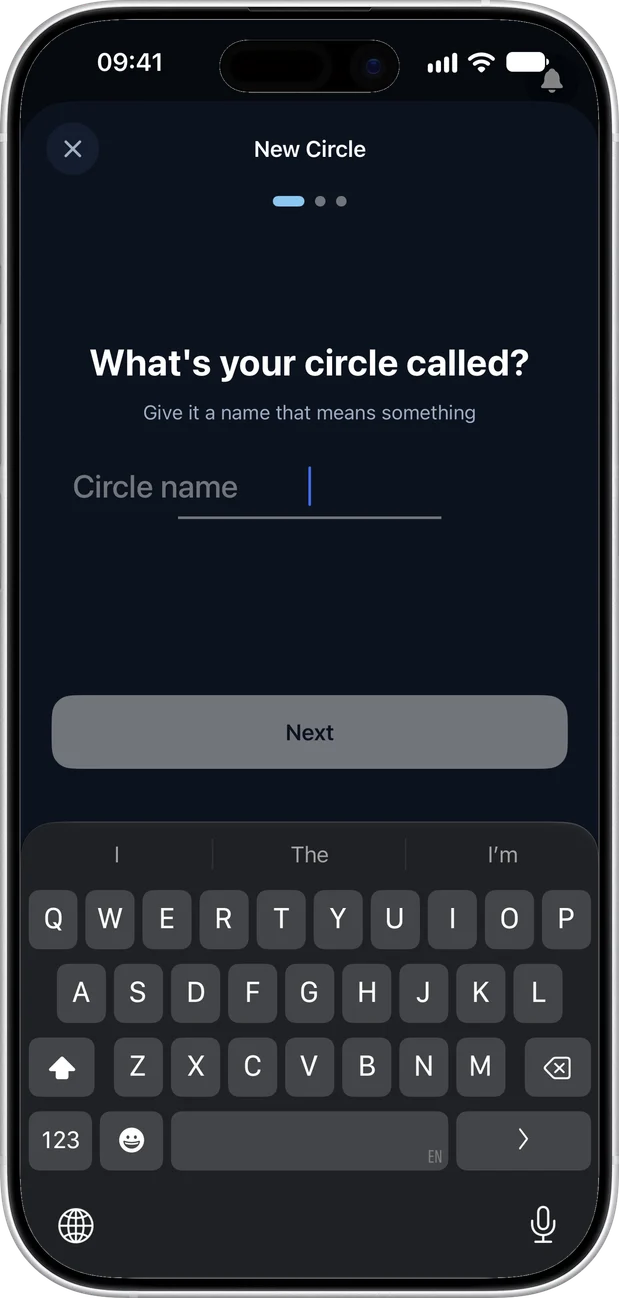
Name your Circle.

Tap "New Circle" and give it a name that means something. Your family, your gym crew, your roommates — whatever the group, name it something only your people will get.

Create a Circle - name and icon selection

Make it yours.

Type in your circle name and hit Next. Something like "The Boys 💪" or "Family Group Chat" — whatever fits. This is the name everyone in the circle will see.

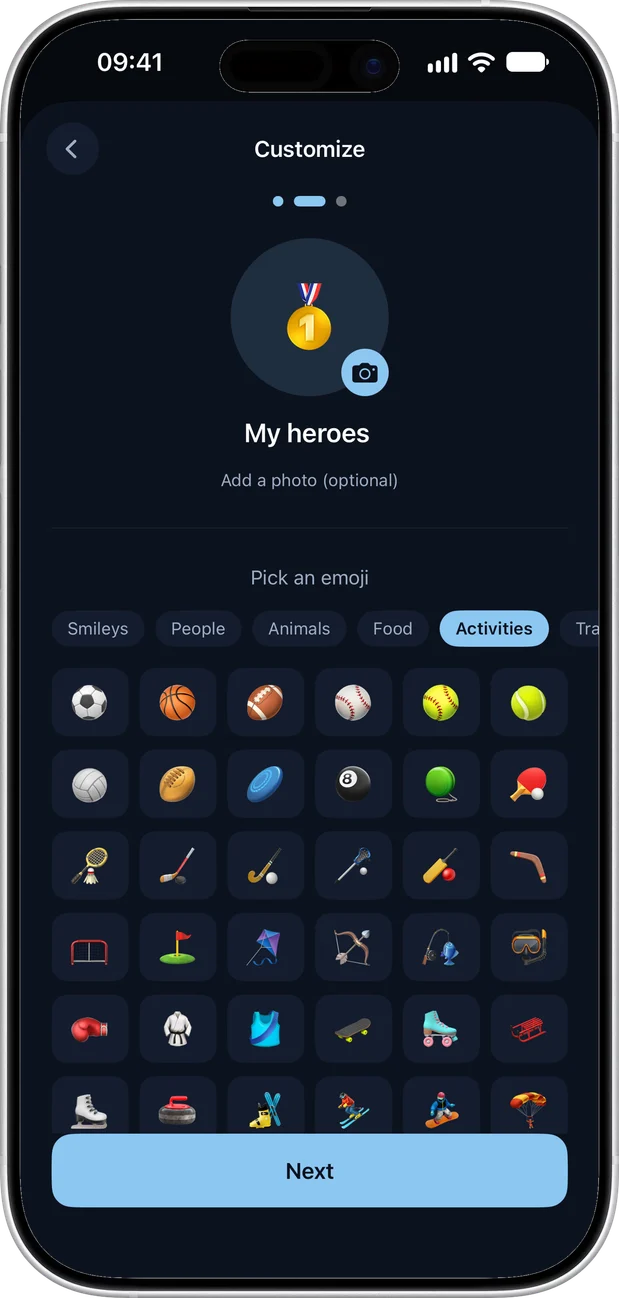
Create a Circle - step two

Pick an icon.

Customize your circle with an icon that represents the group. Choose from dozens of options — people, sports, food, travel, pets, and more. Add a profile photo if you want to make it extra personal.

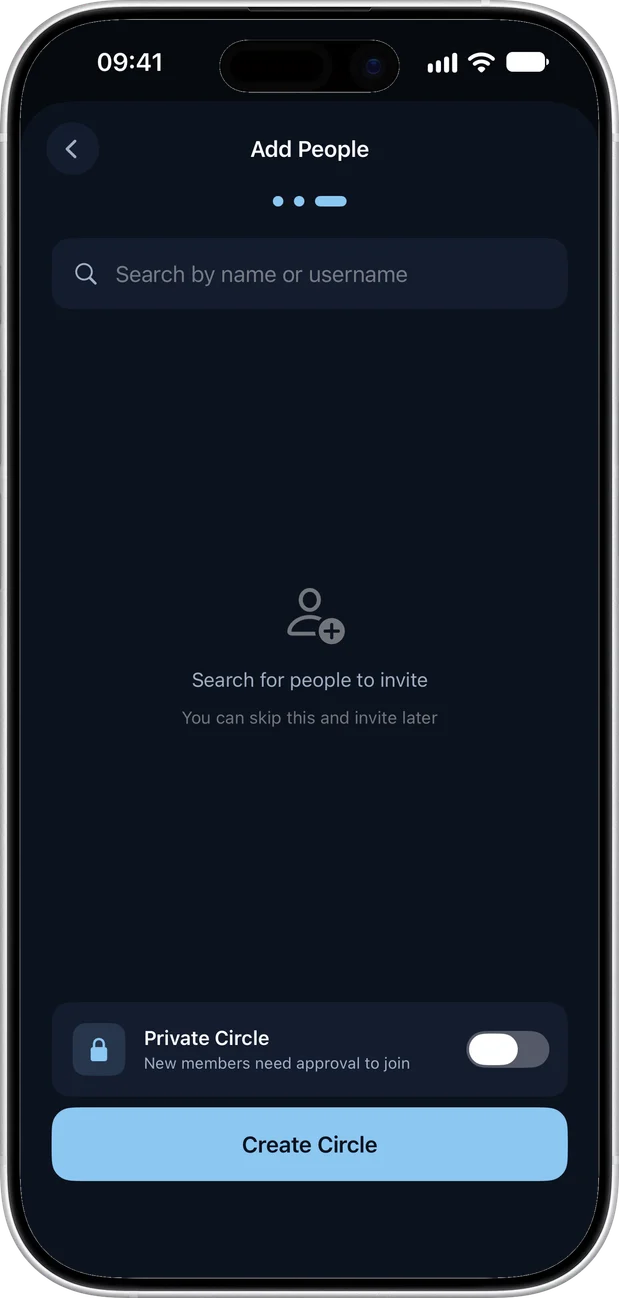
Create a Circle - step three

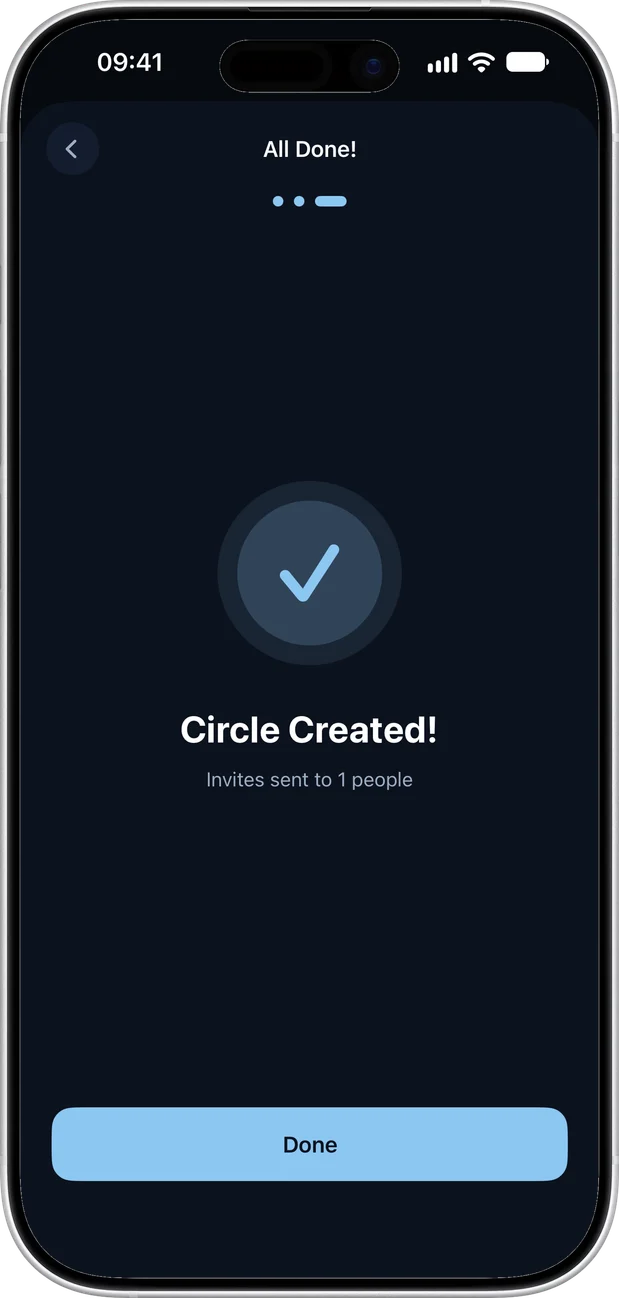
Circle created.

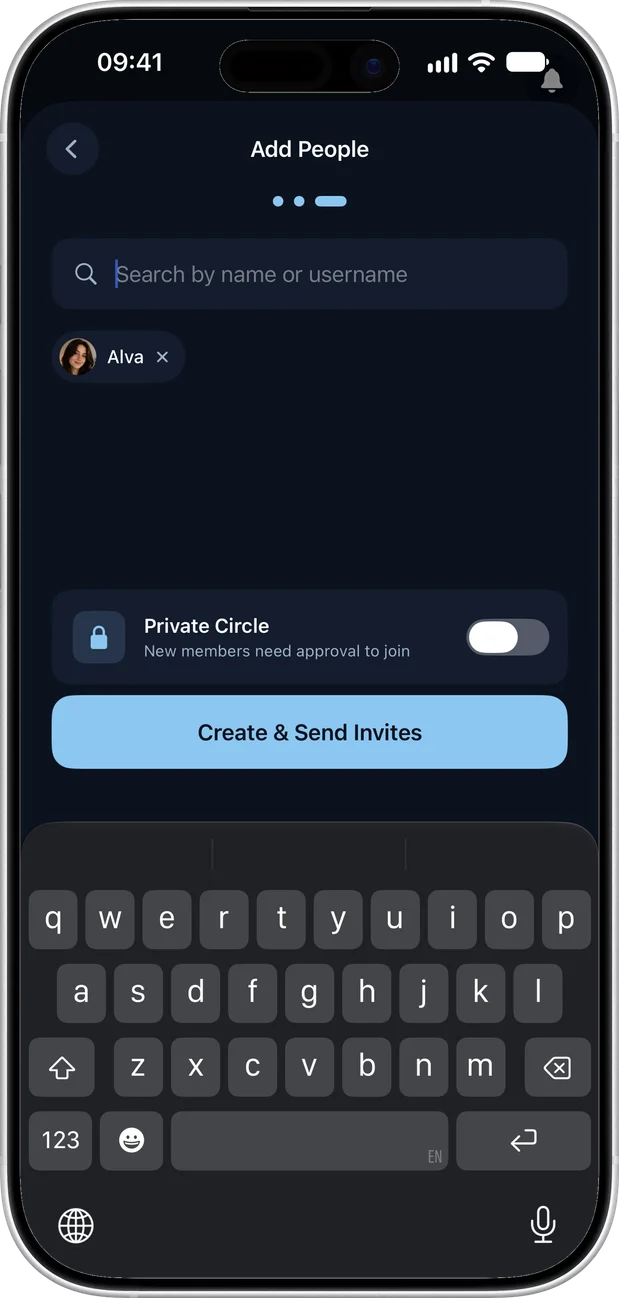
That's it — you're done. Your Circle is live and ready to go. Share the invite code with your people, and as soon as they join, start posting photos, videos, Thoughts, and Fliks.

Circle created successfully

Every group
in one place.
Organized.

Your Circles screen shows every group you belong to at a glance. See member counts, unread posts, and the latest activity. Tap in to see the feed or jump straight to the group chat.

Circles list view

Hold to reveal
every option.

Long-press any Circle to instantly access quick actions — edit details, manage members, share the invite code, mute notifications, or leave the group. Everything you need, one touch away.

Circle options menu

Every moment
lives here.
Together.

Each Circle has its own dedicated feed — a chronological stream of photos, videos, and updates from your people. No algorithm decides what you see. Every post appears in order, exactly when it's shared.

Circle feed with post cards

Say what's
on your mind.
Privately.

Thoughts are text-only posts shared within your circles. Quick updates, inside jokes, random ideas — say it without needing a photo. Your circle sees it, nobody else.

Thoughts view in circles

See every post
you're in.
All in one place.

When someone tags you in a photo, video, or Thought, it shows up in your Tagged tab. Quickly browse every moment your friends wanted you to see — no scrolling through an entire feed.

Tagged posts view

Know who's
in your circle.
Always.

See every member at a glance with their online status, role (admin or member), and activity level. Admins can remove members, manage roles, and revoke invite codes to keep the circle tight.

Manage circle members

Got a code?
Request to join.

Anyone can invite you to a Circle, but only the owner decides who gets in. When you accept an invite, the circle's creator reviews and approves your request — so every member is someone they trust. Public circles let anyone discover and request to join, while private circles are invite-only and completely hidden from search.

Join a circle with invite code

Make it
yours.

Set a custom background photo, upload a circle profile image, and choose an accent color that represents your group. Every Circle can have its own unique look and feel.

Custom circle background

Your data stays
yours.

Privacy isn't a setting — it's the architecture. Every photo, message, and moment is protected by design.

End-to-End Encrypted

Invite-Only Circles

Every Circle is private. No one gets in without an invite code from an existing member.

No Public Discovery

Your posts are never shown to strangers. No public explore page. No trending section for outsiders.

Download Controls

You decide who can save your photos. Track every download so you always know where your content goes.

Notification Controls

Mute individual circles, set custom notification preferences. Control exactly what gets your attention.

Zero-Knowledge Architecture

No tracking pixels. No data selling. No algorithms deciding what you see. Your content belongs to you and your circles — and nobody else.

Your circle is waiting.

Download fomo and start sharing moments that matter. Free on the App Store.

Download for iOS